Road Trip Coming to the App StoreComing soon

Family travel, end to end

Leave the house calm.

Road Trip carries a family trip from weeks out to wheels up: the timeline, the bookings, a packing list for every person and pet, the house, the mail, the tags on the bags, and one screen on the morning you leave that says whether you are ready.

  • No account
  • Nothing tracked
  • Works offline
  • iPhone, iPad and Mac
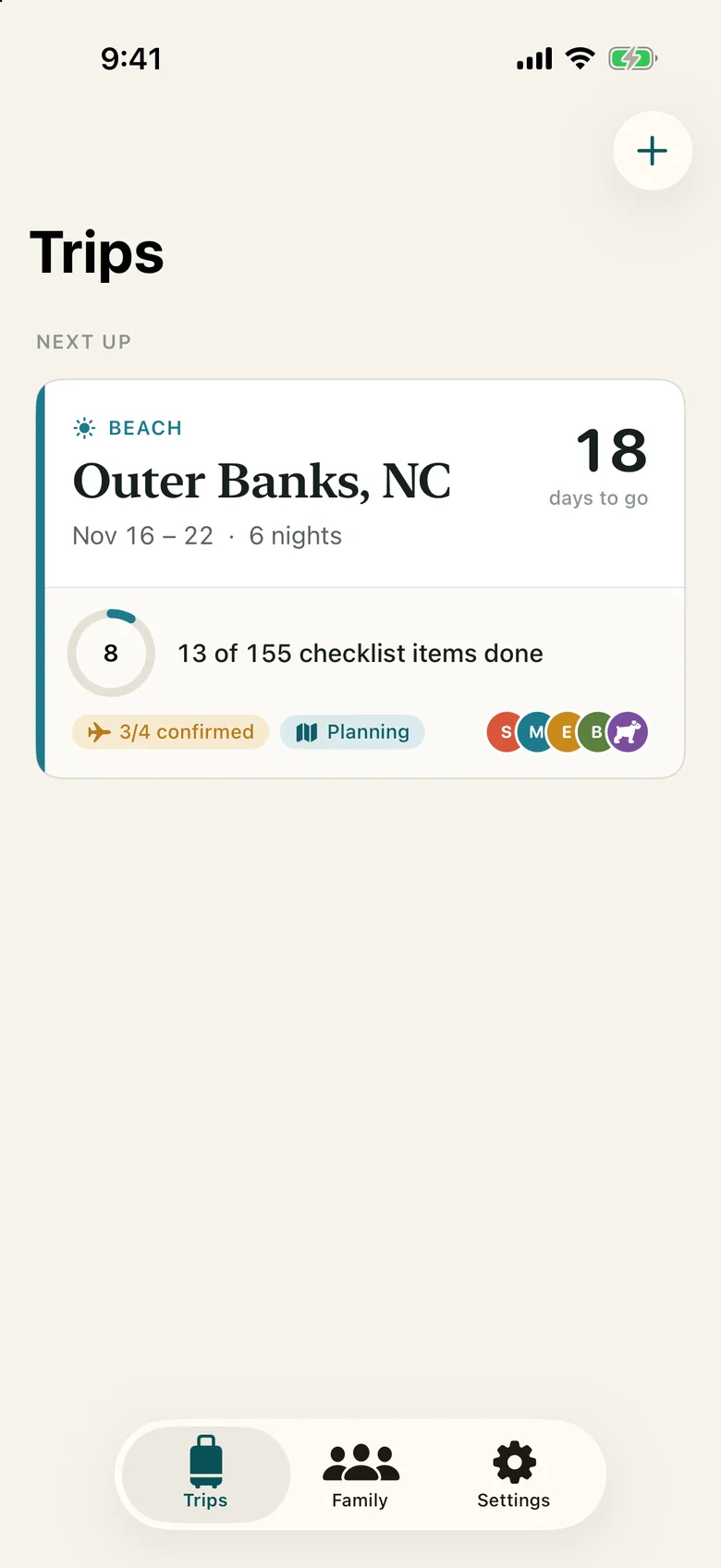
The Trips list on iPhone, with the Millers' Outer Banks beach trip coming up.
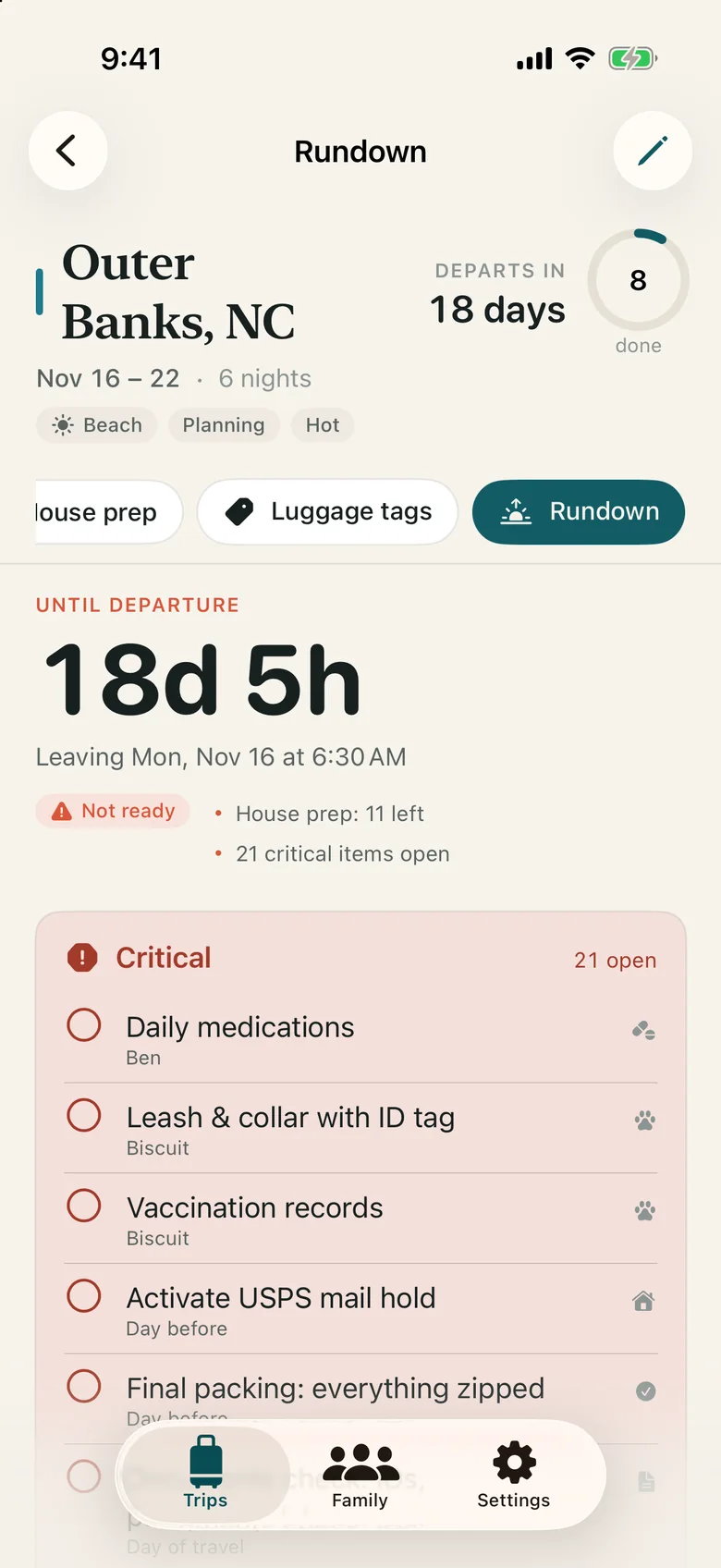
The Rundown for Outer Banks, NC: 18 days 5 hours until departure, leaving Monday at 6:30 AM, marked Not ready with house prep and 21 critical items still open.

The night before

It is 11 PM. The packing list is in one notes app, the flight in an email, the kennel time on a sticky note. Somebody packed the charger. Nobody stopped the mail.

Road Trip puts all of it in one place, weeks ahead, and hands each piece to you on the day it matters.

What it does

Nine jobs, so the trip stops living in your head.

Every screenshot here is the real app, planning the Millers' six nights on the Outer Banks: Sarah, Mike, Ella, Ben and Biscuit the dog.

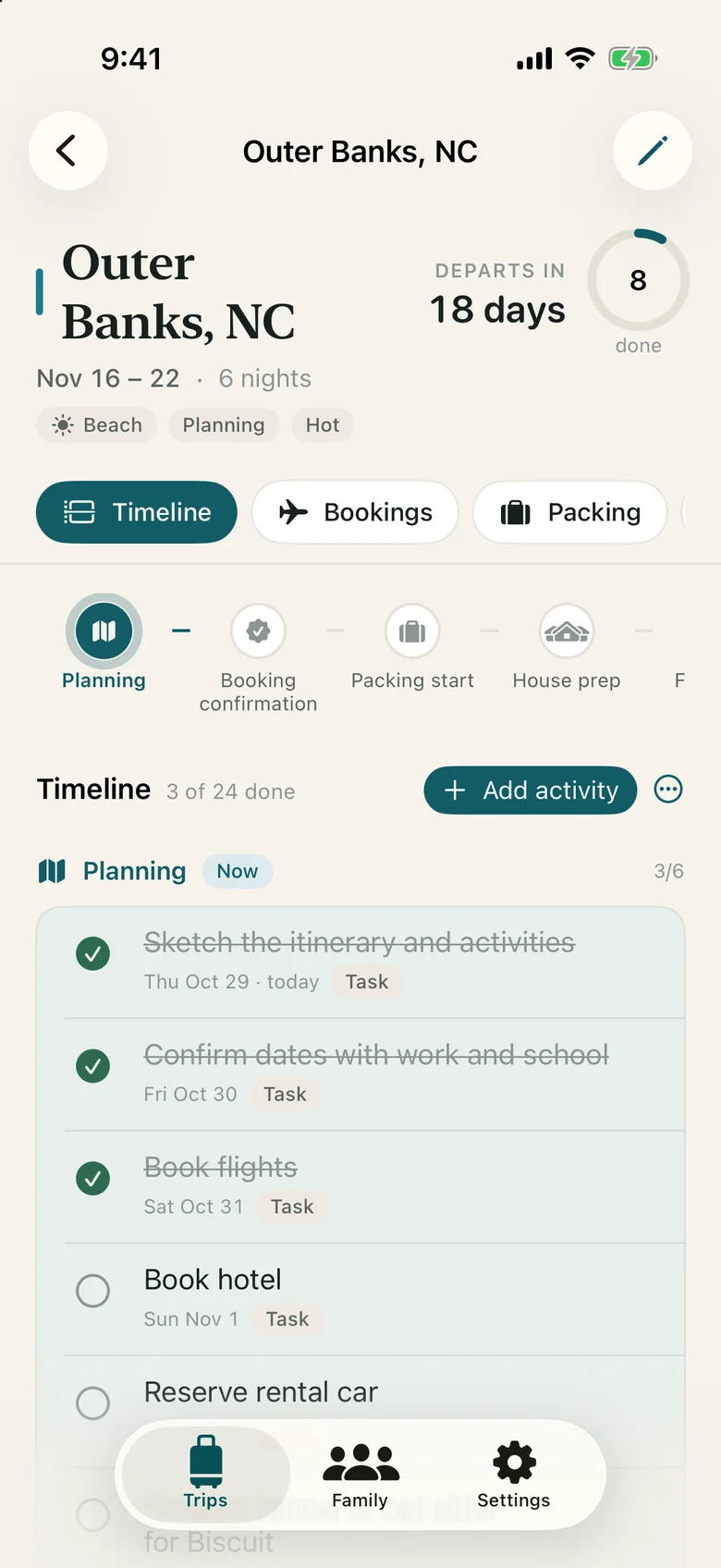
The trip timeline on iPhone, with recommended tasks grouped under Planning, Booking confirmation and later phases, each with its date.

01 · Timeline

A plan that fills itself in.

Pick a destination, dates, a trip type and the weather you expect. Road Trip lays out recommended tasks across six phases, scaled to how far away the trip is and how long it lasts. Add your own activities, like the wild horse tour in Corolla.
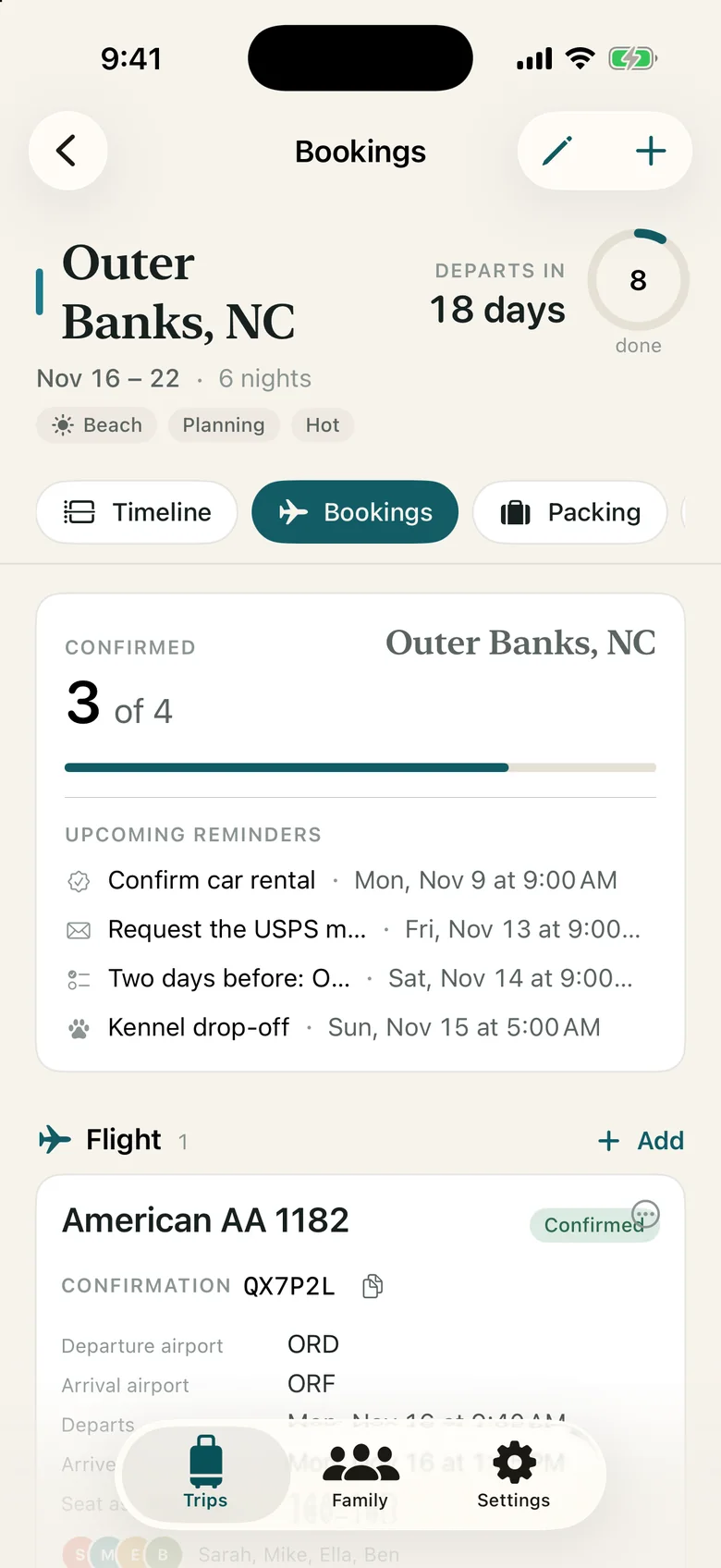
Bookings for the trip: an American Airlines flight, the Sea Oats Beach House, a Hertz minivan and Happy Tails Kennel, each with its status.

02 · Bookings

Every confirmation, one tap to copy.

Flights with seats and travelers, hotels, car rentals, kennels and pet sitters, each marked Pending, Confirmed or Cancelled. You enter them yourself; nothing reads your email.

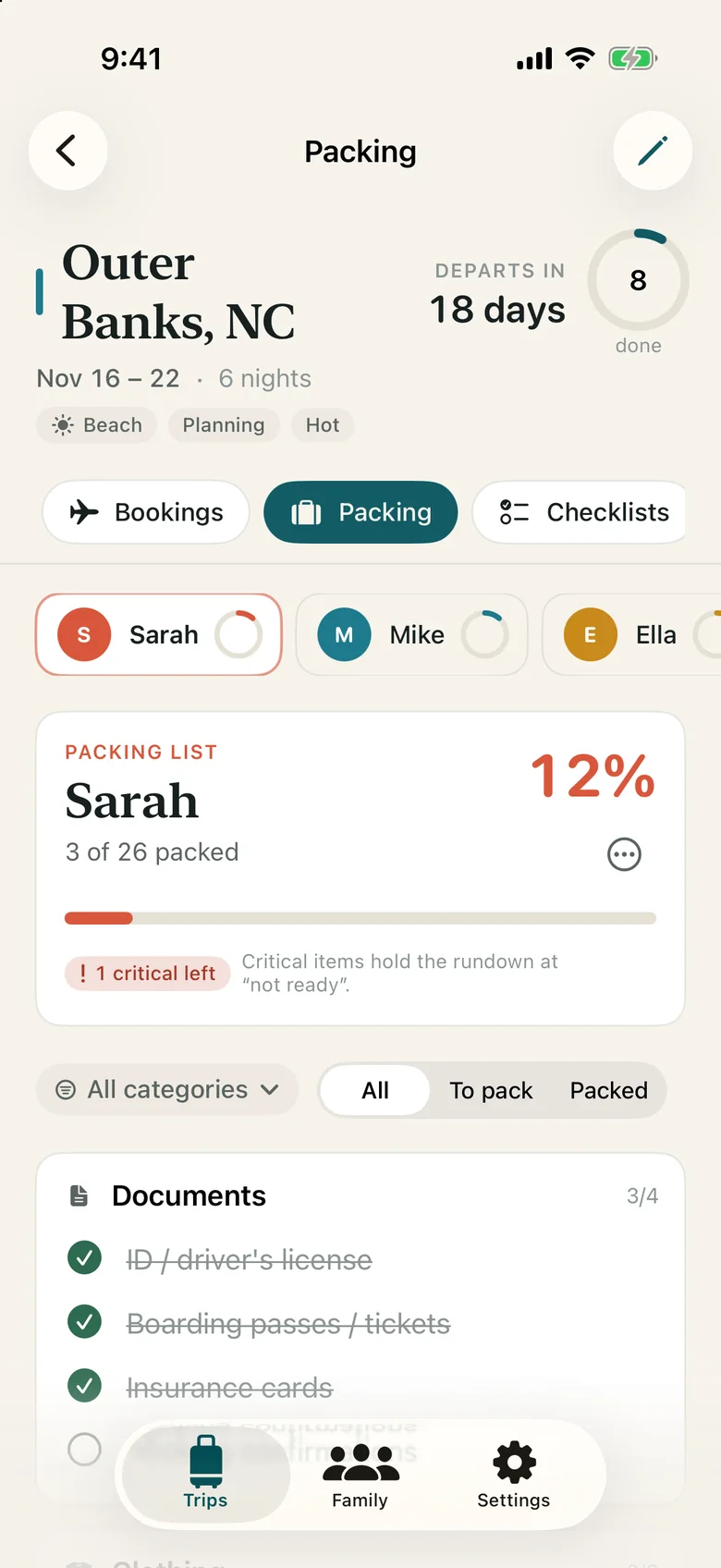
Packing lists with a progress ring for each family member and for Biscuit, plus one shared household list.

03 · Packing

A list for everyone, including the dog.

Each person and pet gets their own list from templates by trip type and weather. Clothing scales with the nights, up to a week. Kids get kid things, adults get ID, Biscuit gets his joint supplement.

Shared onceSunscreen, the first-aid kit and chargers appear one time for the whole family, not four.

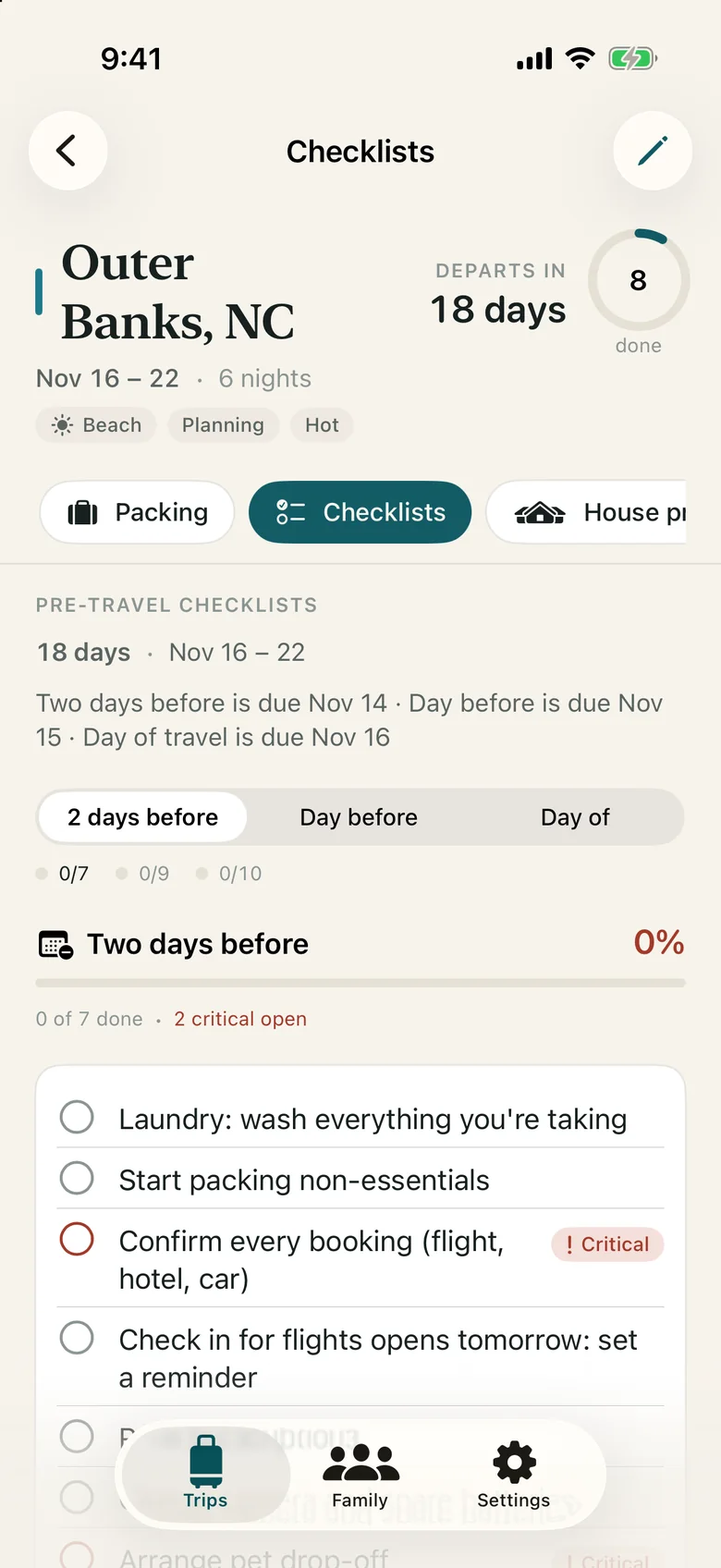
Pre-travel checklists for two days before, the day before and the day of travel, including activating a USPS mail hold.

04 · Checklists and mail hold

The right list on the right morning.

Two days before: laundry, confirm bookings, arrange the kennel. The day before: charge devices, print documents, set the thermostat, hold the mail. The day of: keys, snacks, a last walkthrough, the time you leave.

Mail holdHold dates from departure through the day after you return, the confirmation number, and a link to USPS.com.

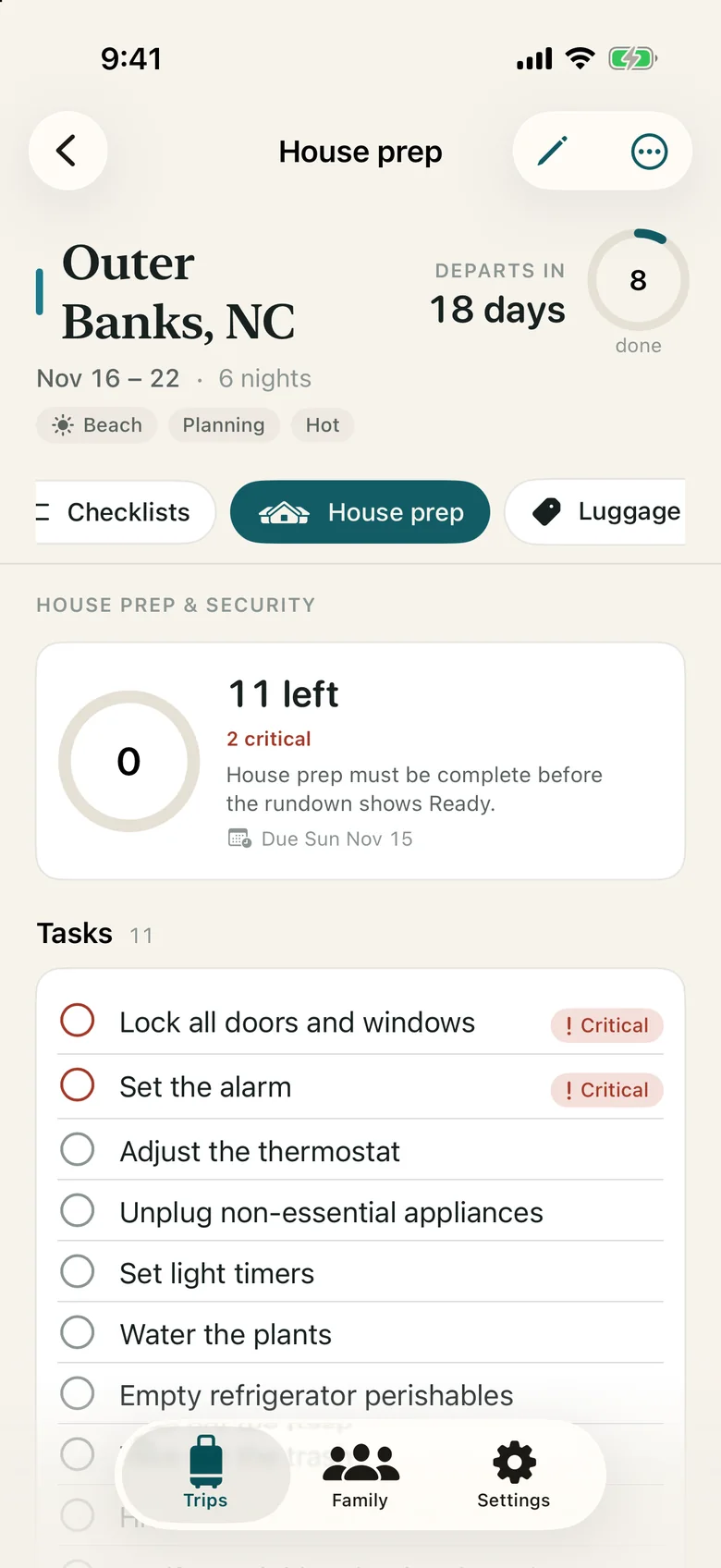
House prep checklist: lock doors and windows, set the alarm, adjust the thermostat, unplug appliances, water plants and more.

05 · House prep

Ready means the house too.

Locks, alarm, thermostat, light timers, plants, perishables, trash, a note for the neighbor, the spare key. Keep a reusable list and add what this trip needs.

A firm ruleThe rundown will not say Ready until house prep is done.

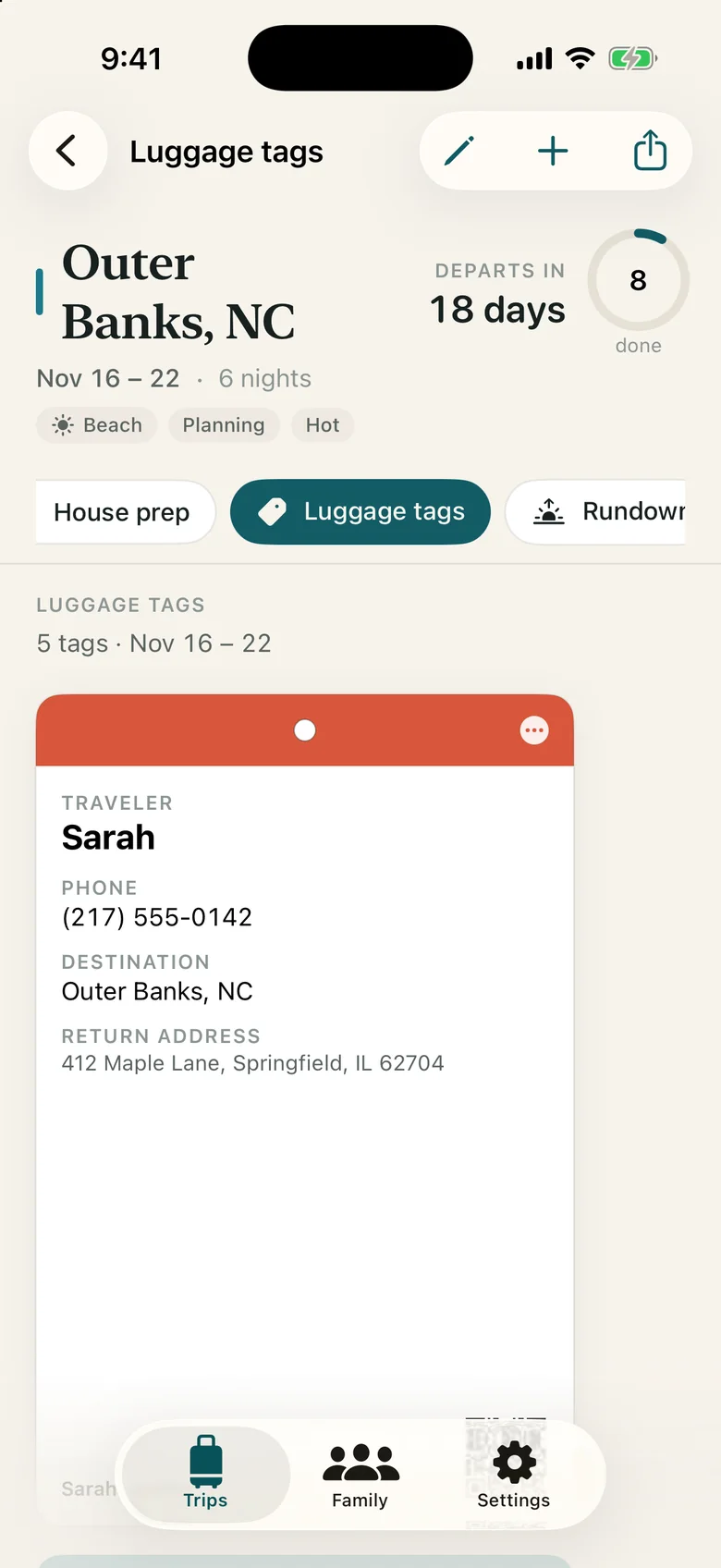
Luggage tags for the family, each with traveler, phone, destination and return address, ready to print.

06 · Luggage tags

A tag for every bag, printed at tag size.

Traveler, phone, destination and return address for any person or pet, printed as a PDF at 2.75 × 4.25 inches.

The QR codeIf you add one, it holds only a trip identifier. Never a name, never an address.

The day-of Rundown: a large countdown, a Not ready badge and a list of critical items still open, each named by its owner.

07 · Rundown

One screen on the morning you leave.

A big countdown to the minute you pull out, Ready or Not ready, every critical item still open and whose it is, today's bookings in order, packing for each person and pet, house prep, the mail hold and your emergency contacts. It works offline.

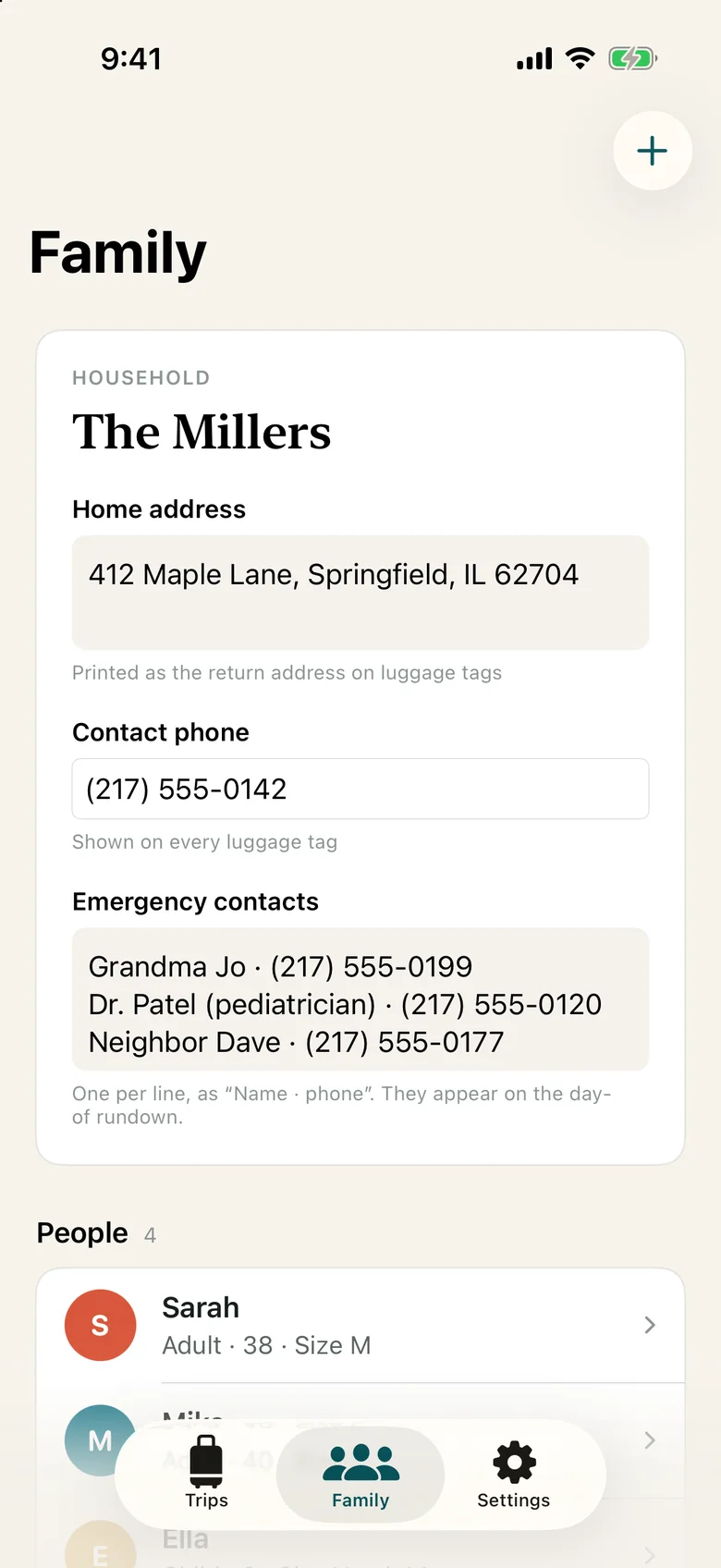
The Family screen listing Sarah, Mike, Ella, Ben and Biscuit, each with a color, age or species and notes such as Ben's peanut allergy.

08 · Family

Set up the family once.

People with age, role, clothing size, allergies and phone. Pets with species, size, special needs and kennel preferences. Each gets a color that follows them through every list.

09 · Reminders and Siri

A nudge at the moment it is useful.

Local notifications to confirm pending bookings, check in for the flight 24 hours ahead, pick up the car, drop off the dog, open each checklist on its morning, and leave in 90 minutes.

Ask Siri“How long until our trip in Road Trip?” answers with the countdown and what is still to do.

Try it

Plan the Millers' beach week.

A real slice of the app with the Miller family's beach trip. Tap anything; nothing is saved or sent.

Weeks out to wheels up

Six phases, each with its own short list.

The Millers start 18 days before a 6:30 AM departure. Road Trip spaces the work so no single evening carries it.

  1. 18 days out

    Planning

    Sketch the itinerary, confirm dates with work and school, book flights, hotel, car and the kennel.

  2. About two weeks out

    Booking confirmation

    Check every booking has a confirmation number and pick seats. Tell school about the absence; schedule the mail hold.

  3. 5 days out

    Packing start

    Review the lists for Sarah, Mike, Ella, Ben and Biscuit, plus the shared bag, and shop for what is missing.

  4. 2 days before

    House prep

    Ask a neighbor to keep an eye on the house, use up the perishables, and get Biscuit to the kennel.

  5. The day before

    Final prep

    Charge everything, print boarding passes, set the thermostat and light timers, bags by the door with tags on.

  6. Day of · 6:30 AM

    Travel day

    A last walkthrough of locks, alarm and appliances, then out the door at 6:30 for AA 1182 at 9:40.

On the Mac

Plan at the desk. Check it at the curb.

The Mac gets room for the detail: a full timeline rail, side-by-side packing, tags at print size. Your iPhone, iPad and Mac share the same trip through your own iCloud.

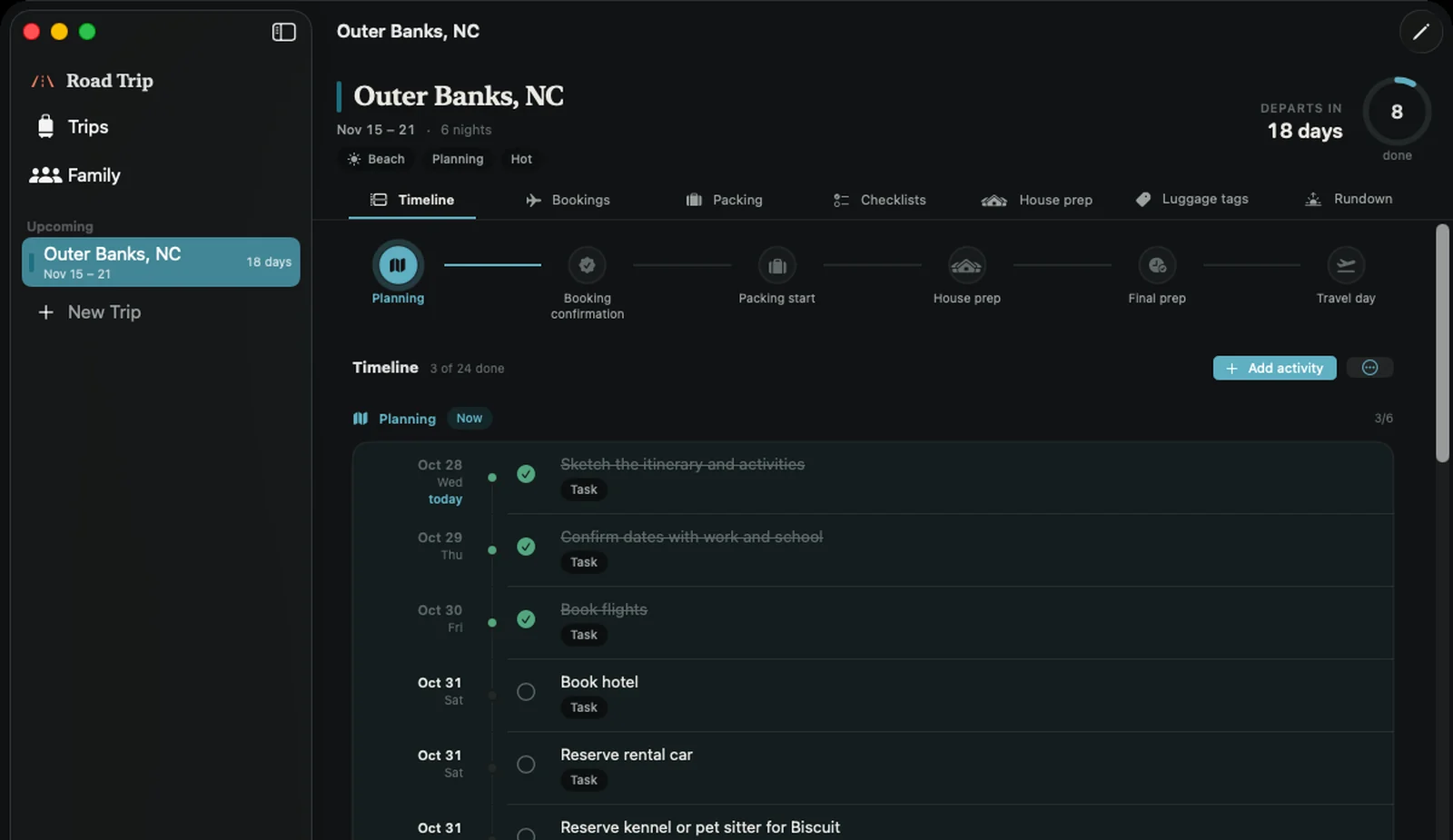
Road Trip on the Mac in dark mode: the Outer Banks timeline with six phase markers and dated tasks, three of them done.
The timeline, from Planning to Travel day.
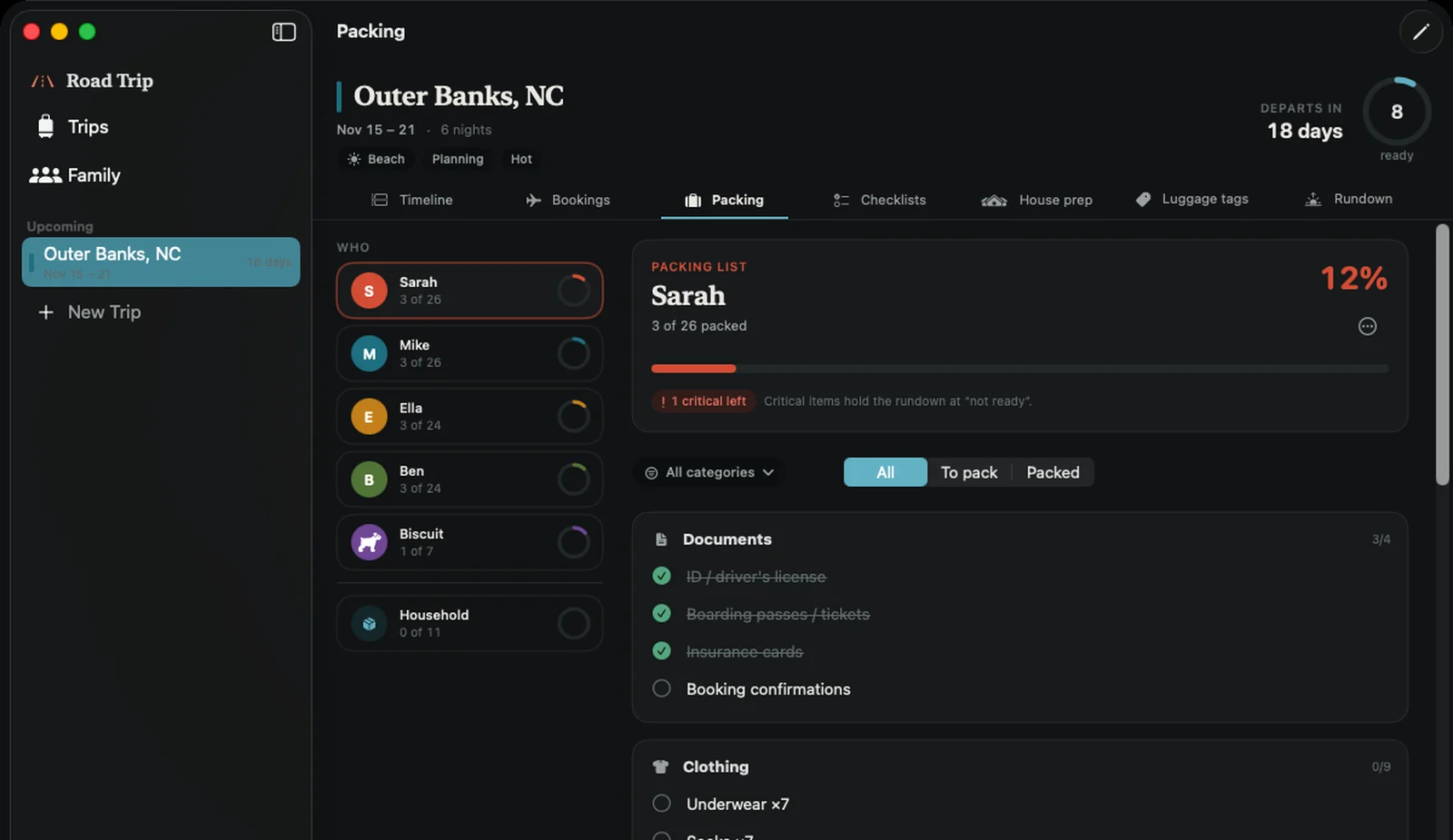
Packing on the Mac: each family member's list with progress, and the shared household items.
Packing for five, side by side.
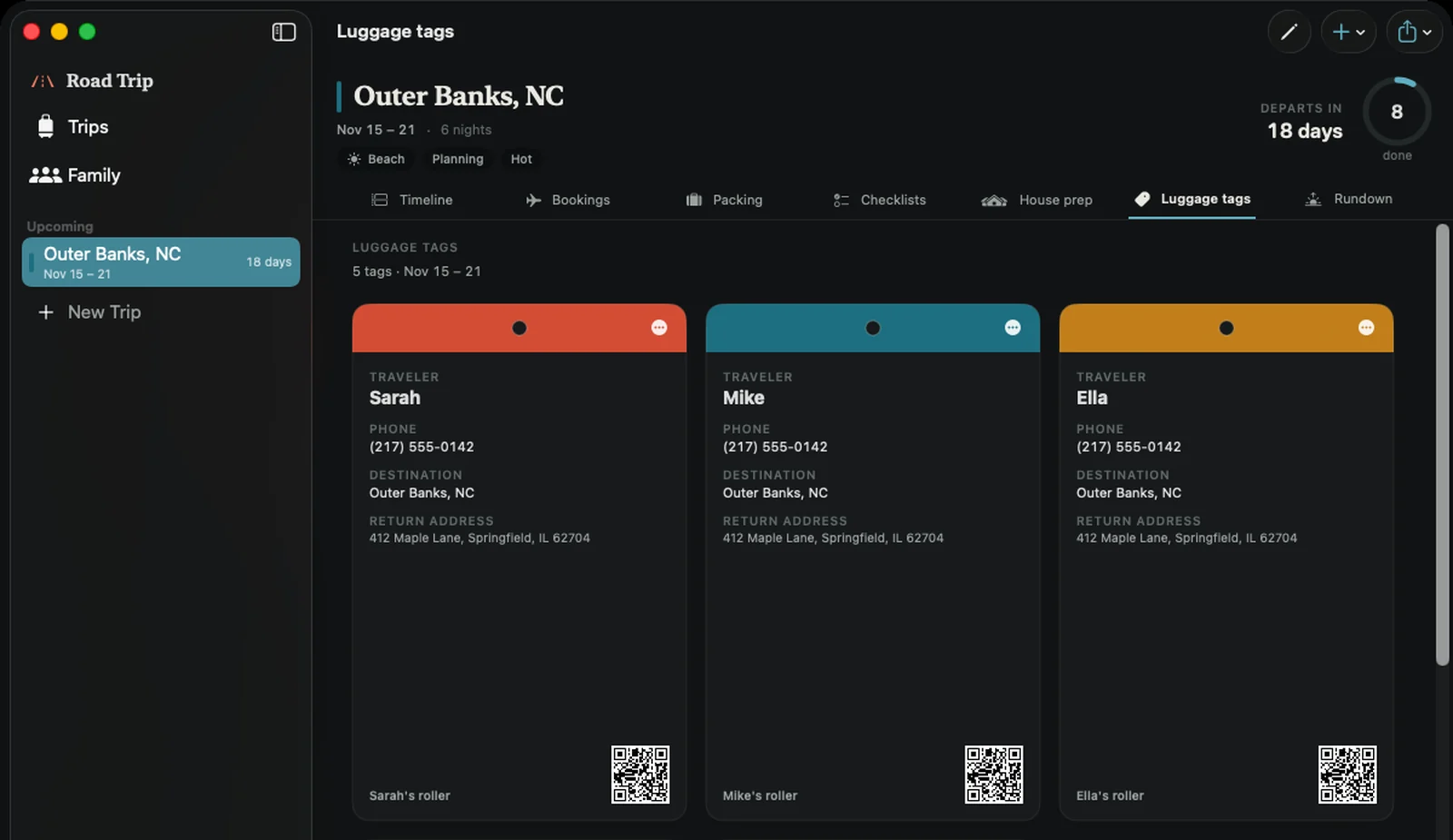
Luggage tags on the Mac, laid out ready to print as a PDF.
Tags, ready for the printer.
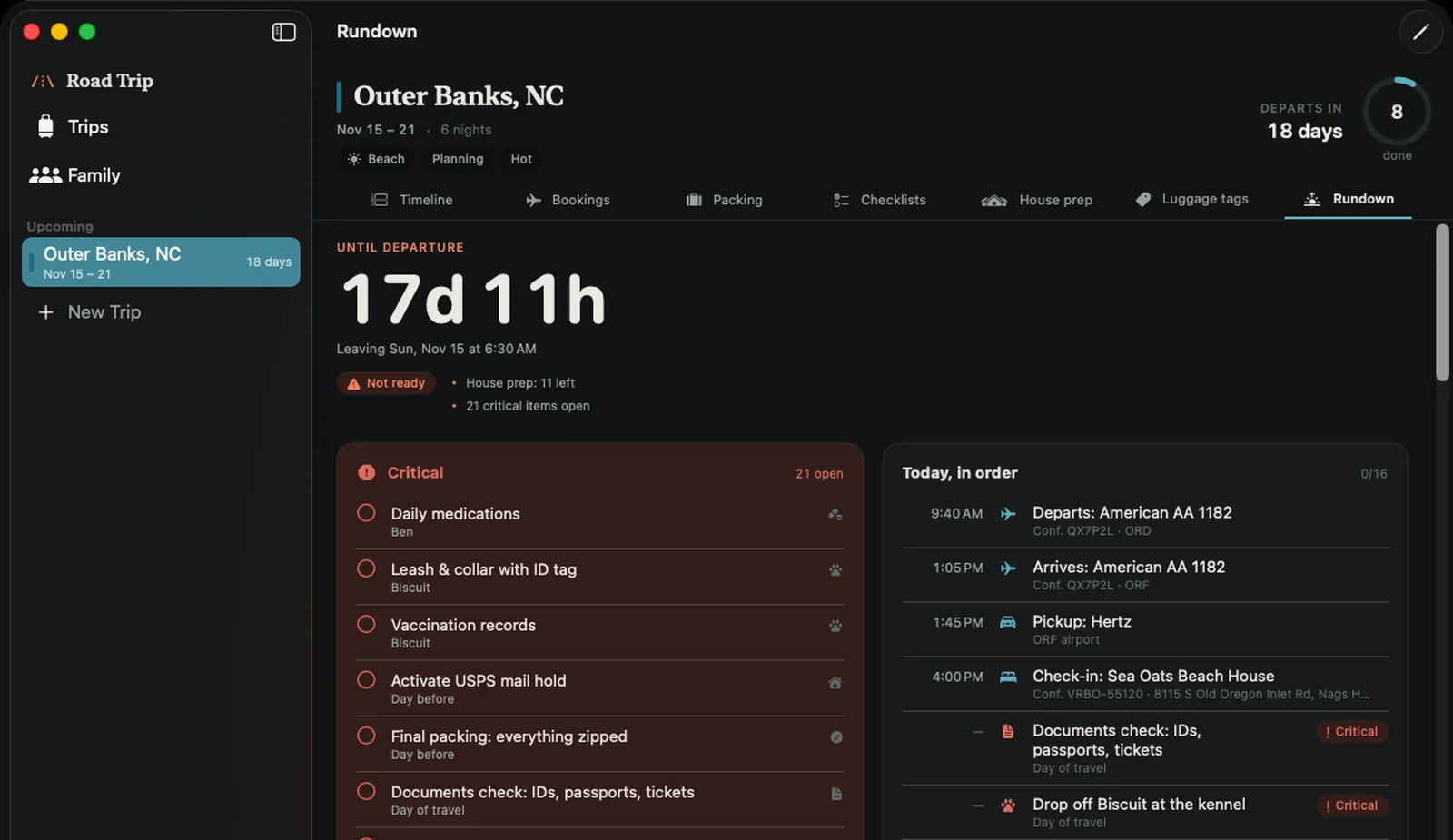
The Rundown on the Mac: countdown, readiness, open critical items, bookings and packing progress.
The rundown on a bigger screen.

Privacy

Your family's trip is your family's business.

Names, ages, allergies, flights and the dates your house is empty. Road Trip treats that the way you would. Read the privacy policy.

  • No account.

    No sign-up, no ads, no analytics, no tracking.

  • Your own iCloud.

    Trips sync between your devices through your private iCloud database. Switch it off any time. We never receive your data.

  • A quiet QR code.

    The code on a luggage tag holds only a trip identifier, never a name or address.

  • Works offline.

    The rundown, lists and bookings are on the device, at the gate or on a back road.

Questions

The things parents ask first.

What does it cost?

Not set yet. Road Trip is in TestFlight beta, and there are no in-app purchases today.

Is there an Android or web version?

No. Road Trip is for iPhone, iPad and Mac (iOS 18 and macOS 15 or later).

Does it book travel or pull in my confirmations?

No. You book wherever you like and enter the details. Road Trip keeps them together, reminds you about them, and copies a confirmation number with one tap.

Can my partner, the grandparents or another family see the trip?

Not today. Road Trip syncs through your own iCloud account, so a trip appears on the iPhone, iPad and Mac signed in to that account. Sharing between different accounts or families is not something it does.

What about the dog?

Pets are family members here: their own packing list, kennel or sitter bookings with drop-off and pickup, special needs, luggage tags and a drop-off reminder.

Where do my kids' details go?

Nowhere but your devices and your own iCloud, if you leave sync on. The developer never receives names, ages, allergies or anything else you enter.

Does it work without a signal?

Yes. Everything lives on the device, so the rundown and lists work offline.

What happens to my data if I delete the app?

Deleting the app removes what is on that device. If iCloud sync is on, a copy remains in your private iCloud and returns when you reinstall, until you remove it in iCloud settings.

In TestFlight now. Coming to the App Store.

Road Trip: Family Travel is in a TestFlight beta on iPhone and iPad, with the Mac version close behind. Want in, or have a question? Write to support@roadtripfamilyapp.com.

Ask to join the beta